> ## Documentation Index
> Fetch the complete documentation index at: https://docs.teio.me/llms.txt
> Use this file to discover all available pages before exploring further.
# OpenCode
> 在终端中配置 Teio API 使用 OpenCode
> OpenCode 是一个开源的 AI 编码代理。它提供终端界面、桌面应用和 IDE 扩展等多种使用方式。
## 前置条件
* 已 [创建 API 密钥](/create-token)
* 如果通过 NPM 安装,需要已安装 Node.js 18+
## 安装 OpenCode
一键安装(推荐):
```bash theme={null}
curl -fsSL https://opencode.ai/install | bash
```
或通过 Homebrew:
```bash theme={null}
brew install anomalyco/tap/opencode
```
或通过 NPM:
```bash theme={null}
npm install -g opencode-ai
```
通过 NPM:
```bash theme={null}
npm install -g opencode-ai
```
## 配置
OpenCode 需要两个配置文件:`opencode.json`(提供商配置)和 `auth.json`(认证信息)。
配置文件路径:
* `~/.config/opencode/opencode.json`
* `~/.local/share/opencode/auth.json`
如果文件夹不存在,请手动创建:
```bash theme={null}
mkdir -p ~/.config/opencode ~/.local/share/opencode
```
写入 `opencode.json`(OpenCode 按模型厂商区分 provider,需要将用到的 provider 的 `baseURL` 都指向 Teio,这样无论使用 OpenAI 还是 Claude 系列模型,请求都会通过 Teio 转发):
```bash theme={null}
cat > ~/.config/opencode/opencode.json << 'EOF'
{
"$schema": "https://opencode.ai/config.json",
"provider": {
"openai": {
"options": {
"baseURL": "https://teio.me/v1"
}
},
"anthropic": {
"options": {
"baseURL": "https://teio.me/v1"
}
}
}
}
EOF
```
写入 `auth.json`:
```bash theme={null}
cat > ~/.local/share/opencode/auth.json << 'EOF'
{
"openai": {
"type": "api",
"key": "你的OpenAI分组密钥"
},
"anthropic": {
"type": "api",
"key": "你的Claude分组密钥"
}
}
EOF
```
配置文件路径:
* `C:\Users\<您的用户名>\.config\opencode\opencode.json`
* `C:\Users\<您的用户名>\.local\share\opencode\auth.json`
如果文件夹不存在,请在文件资源管理器中手动创建对应目录。
`opencode.json`(OpenCode 按模型厂商区分 provider,需要将用到的 provider 的 `baseURL` 都指向 Teio,这样无论使用 OpenAI 还是 Claude 系列模型,请求都会通过 Teio 转发):
```json theme={null}
{
"$schema": "https://opencode.ai/config.json",
"provider": {
"openai": {
"options": {
"baseURL": "https://teio.me/v1"
}
},
"anthropic": {
"options": {
"baseURL": "https://teio.me/v1"
}
}
}
}
```
`auth.json`:
```json theme={null}
{
"openai": {
"type": "api",
"key": "你的OpenAI分组密钥"
},
"anthropic": {
"type": "api",
"key": "你的Claude分组密钥"
}
}
```
## 启动
如果你刚完成上述配置,请先重启终端,确保配置文件已被加载。
```bash theme={null}
opencode
```
如果配置正确,你会进入 OpenCode 的交互界面。
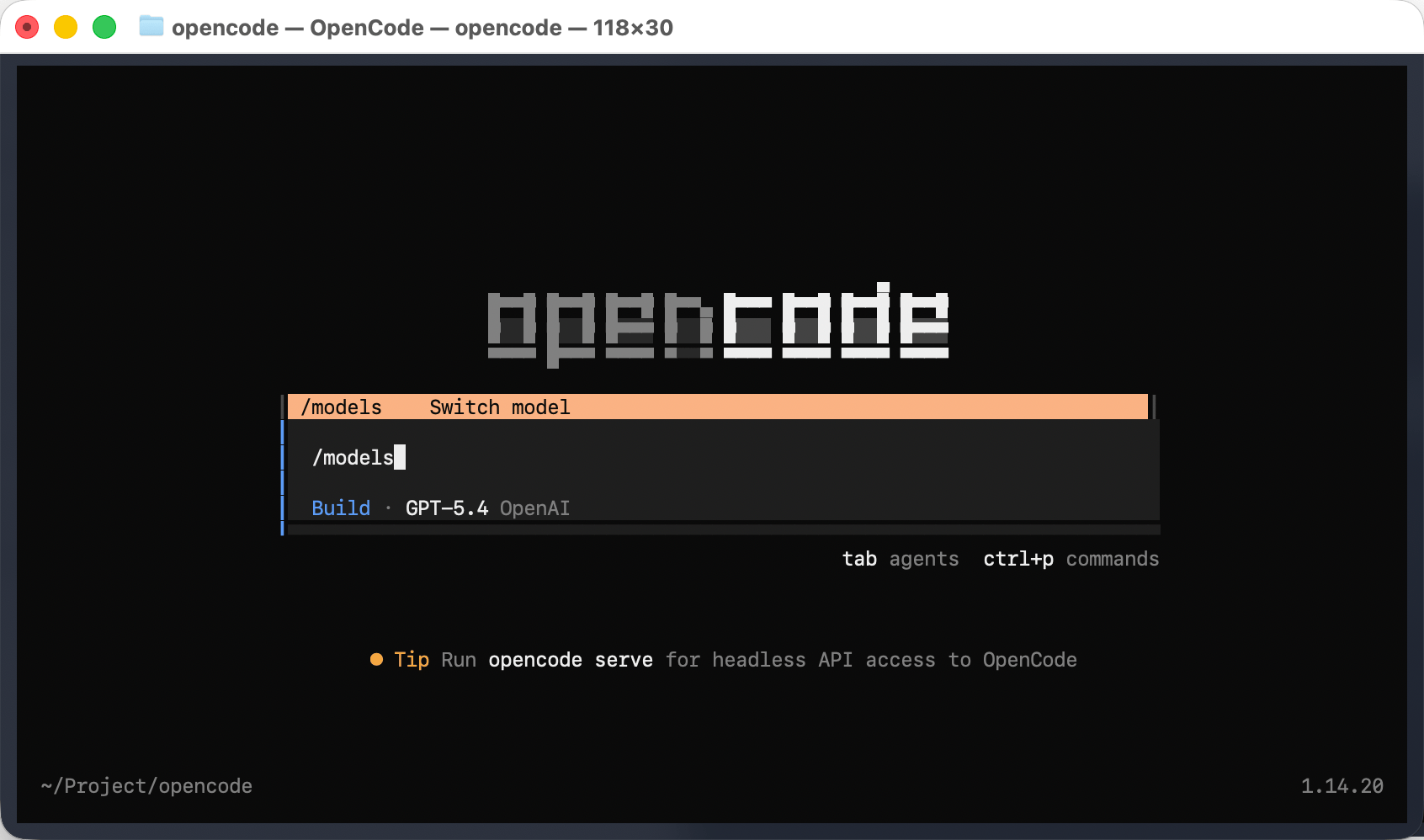
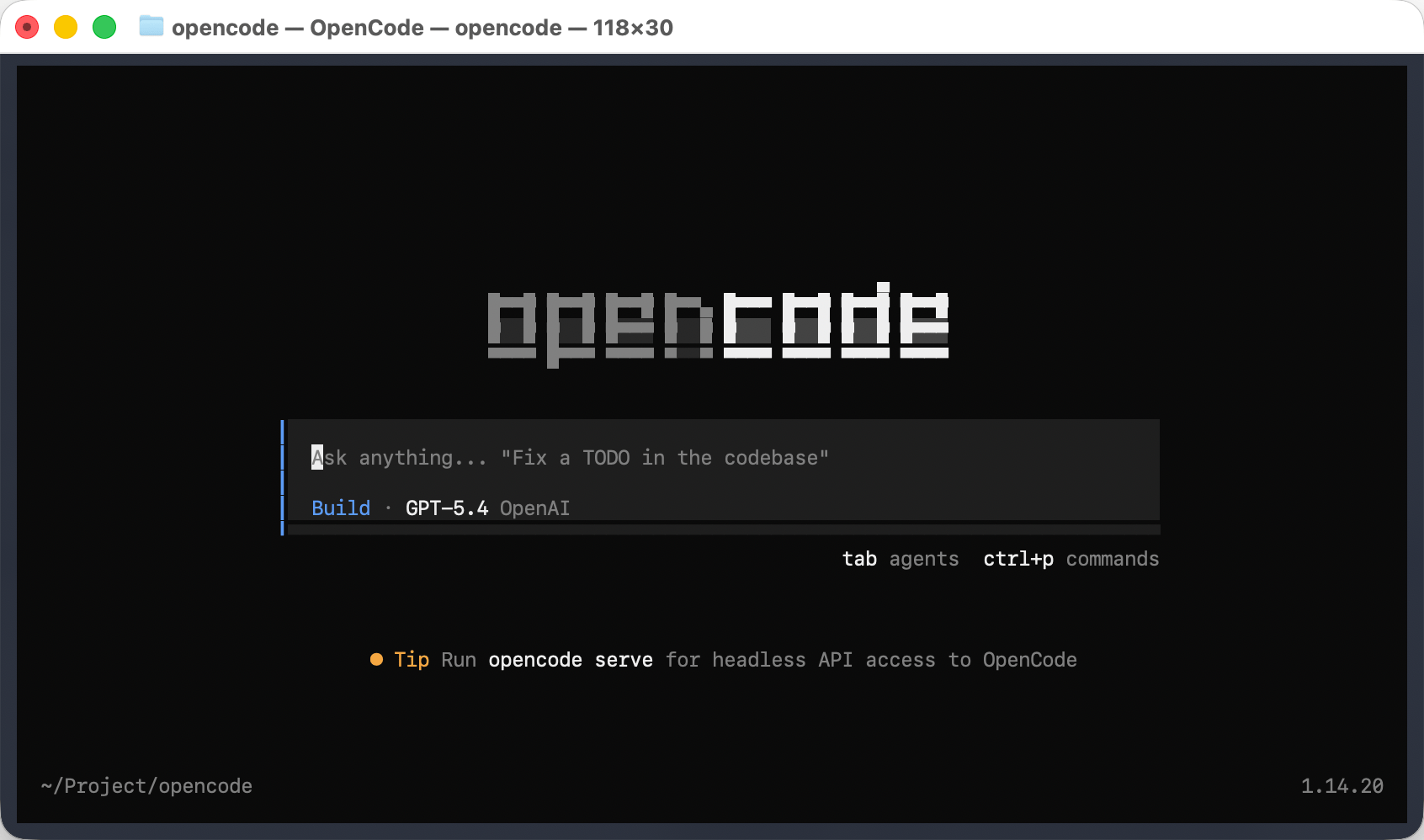 启动后可以通过 /models 命令切换到的模型。
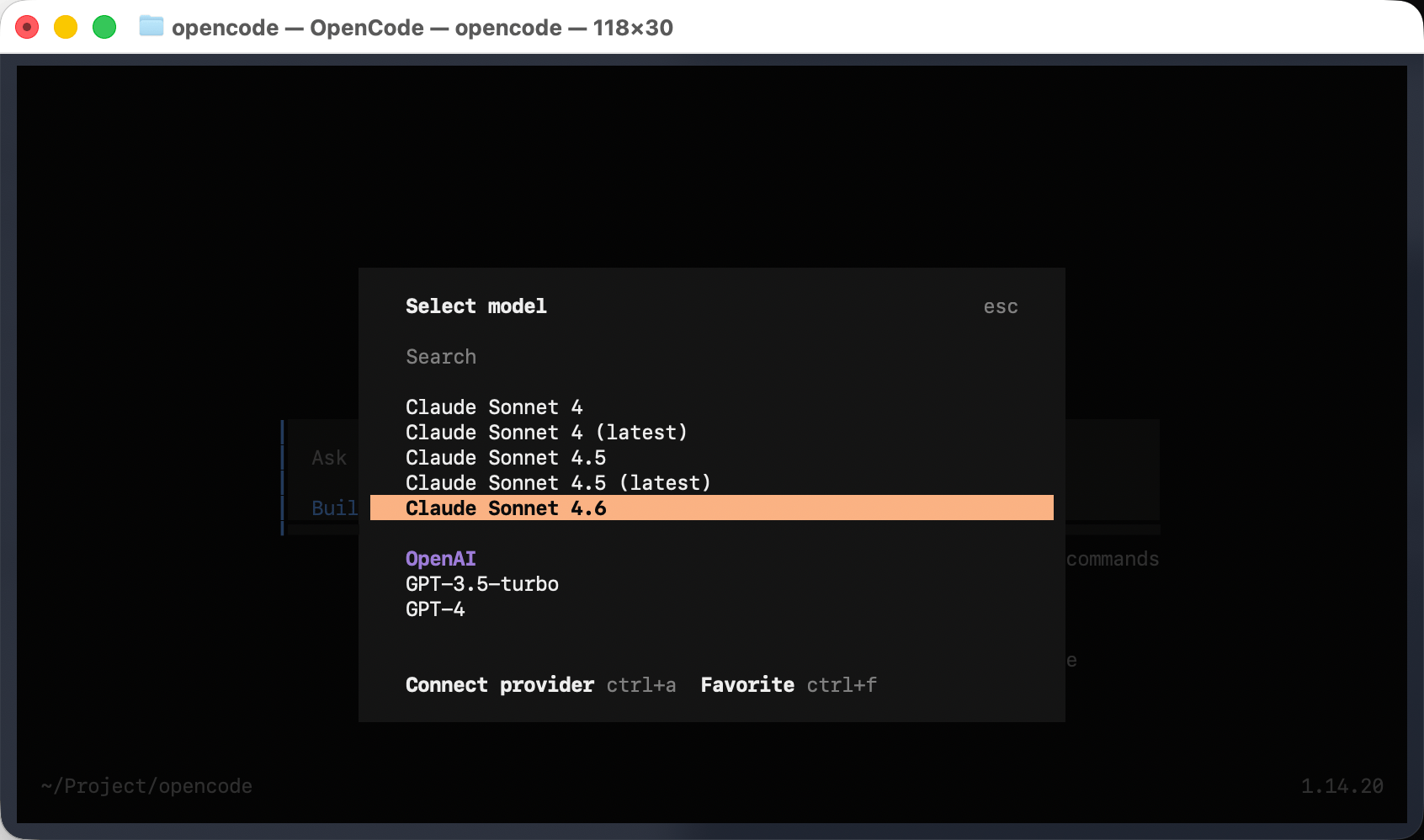
 根据需求选择对应的模型
 ## 常见问题
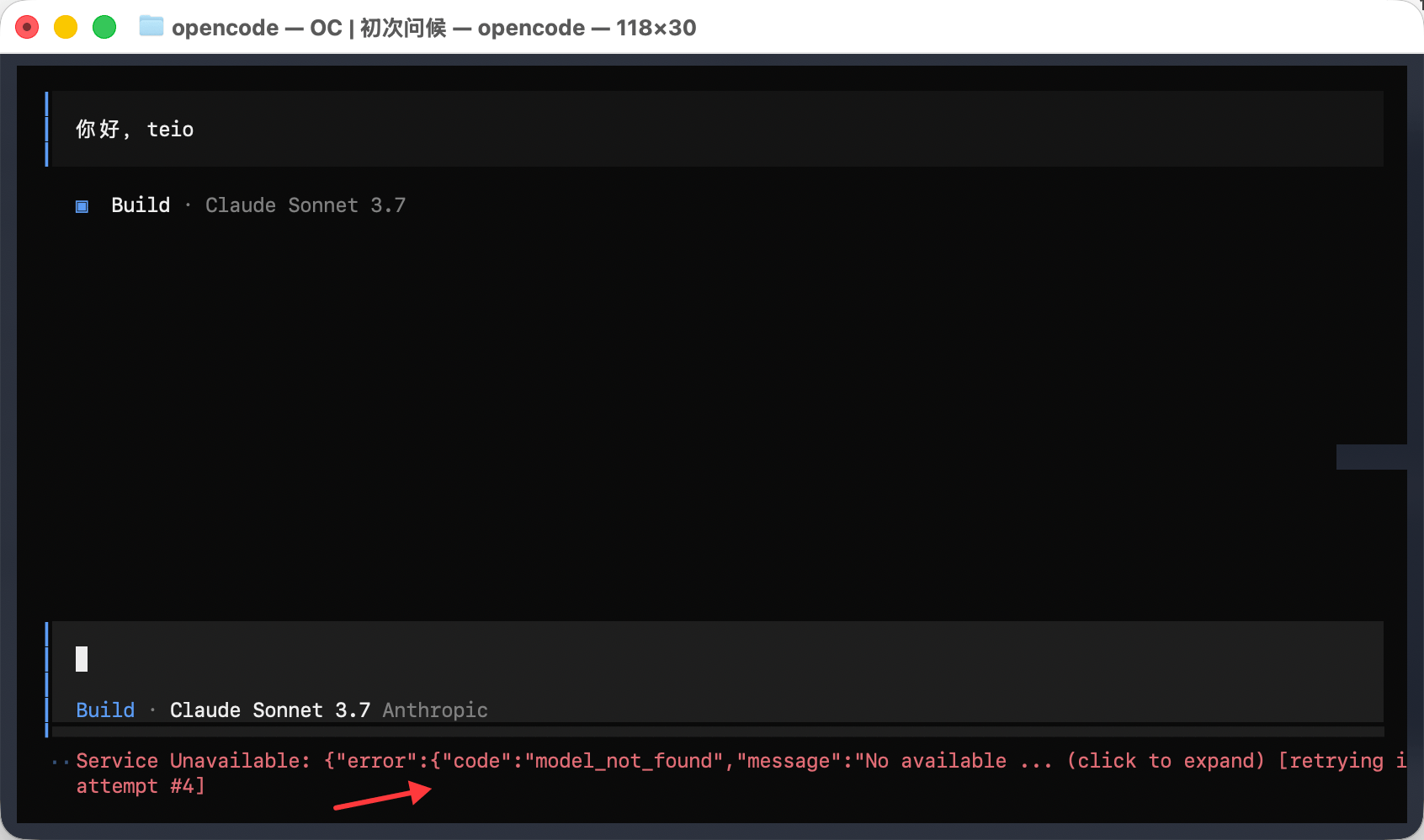 由于 OpenAI 和 Anthropic 官方列举了所有模型,但个别模型 Teio 暂不支持。建议在 Teio 控制台的「操练场」中,选择对应分组查看当前可用的模型列表,确认你要使用的模型已被支持后再进行配置
遇到问题?请参考 [常见问题](/faq)。
由于 OpenAI 和 Anthropic 官方列举了所有模型,但个别模型 Teio 暂不支持。建议在 Teio 控制台的「操练场」中,选择对应分组查看当前可用的模型列表,确认你要使用的模型已被支持后再进行配置
遇到问题?请参考 [常见问题](/faq)。