> ## Documentation Index
> Fetch the complete documentation index at: https://docs.teio.me/llms.txt
> Use this file to discover all available pages before exploring further.
# 创建 API 密钥
> 在 Teio 控制台创建 API 令牌,用于接入各类 AI 编程工具
在使用 Teio 的 API 之前,你需要先创建一个密钥(API Key)。密钥是你调用 API 的凭证,所有工具的配置都需要用到它。
## 创建步骤
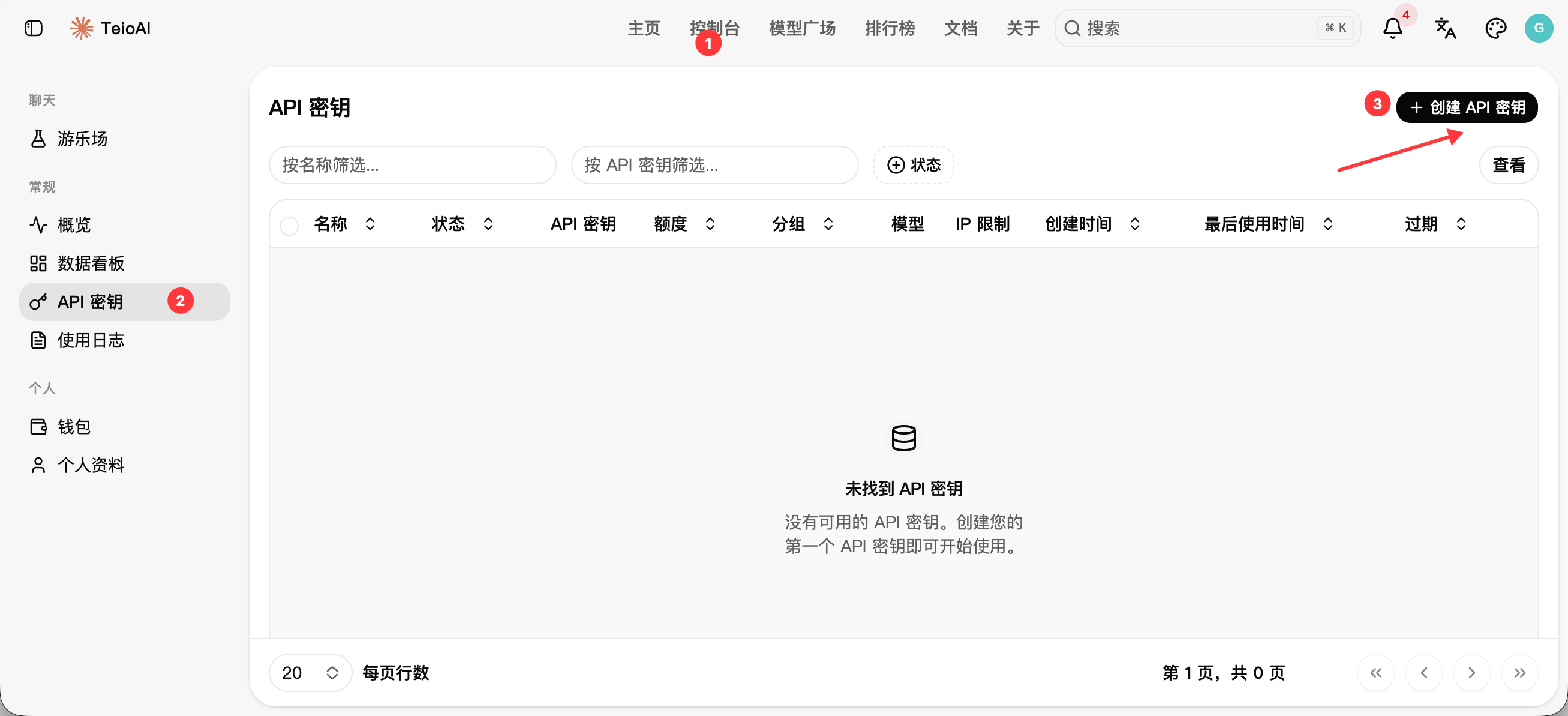
1. 登录 [Teio](https://teio.me),进入控制台
2. 在左侧菜单中点击 **API密钥**
3. 点击 **创建API密钥**
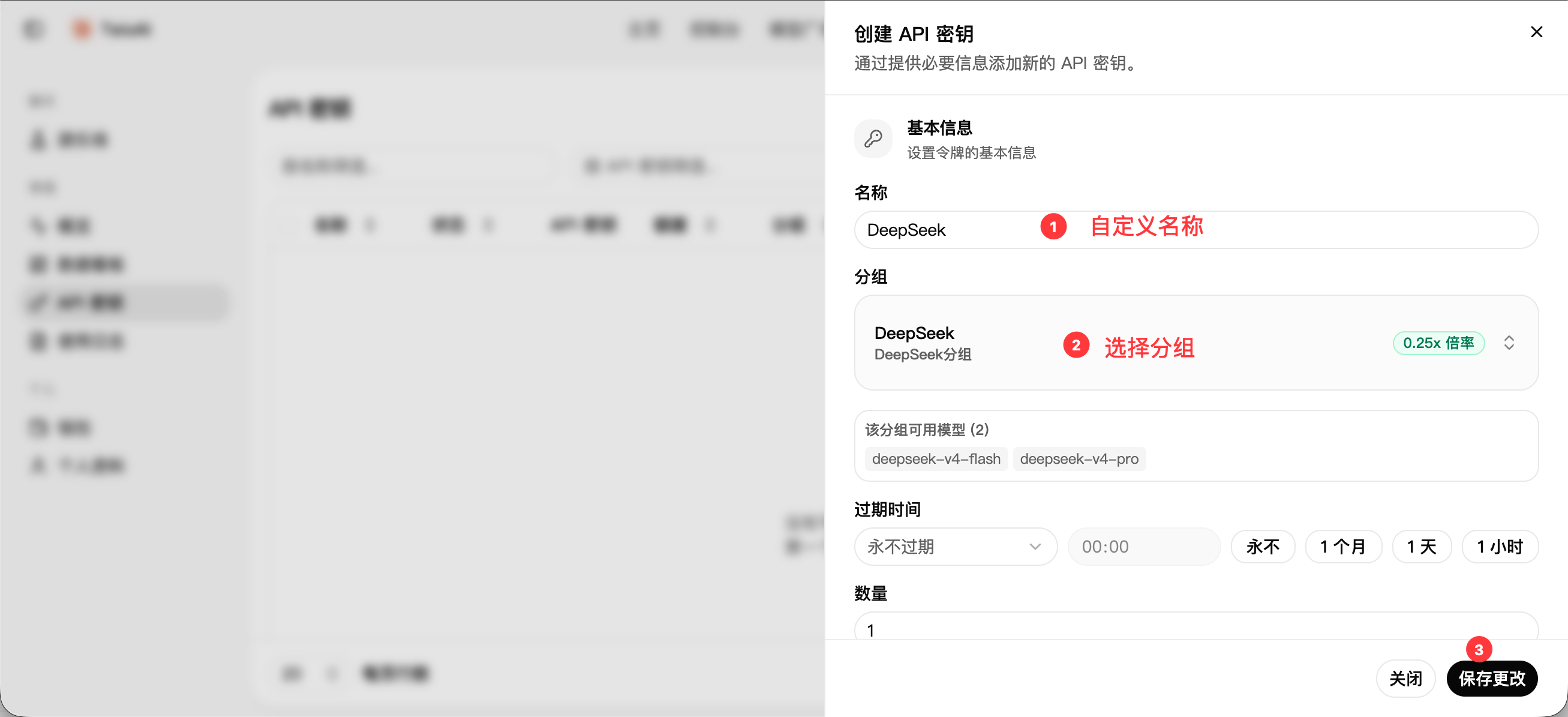
4. 填写密钥名称,方便后续辨识用途
5. 选择分组,分组决定了该密钥可调用的模型范围,详见 [模型与分组](/modelandgroup)
6. 点击 **提交**,系统会生成一个以 `sk-` 开头的密钥
创建API密钥,如下图
 创建密钥,如下图
 ## 管理密钥
在 **API密钥** 页面,你可以:
* 查看已创建的密钥列表
* 查看每个密钥的用量和状态
* 禁用或删除不再使用的密钥
建议为不同的工具创建独立的密钥,方便追踪用量和单独撤销。
## 接下来
密钥创建完成后,前往[首页](/introduction)选择你使用的工具完成配置。
不确定用哪个工具或模型?新手可以从图形界面的 [Cherry Studio](/cherry-studio) 开始,模型与分组的对应关系见 [模型与分组](/modelandgroup)。
## 常见问题
可以在密钥管理页面编辑密钥,修改分组后保存即可生效。
技术上可以,但建议为每个工具创建独立的密钥,方便单独追踪用量和撤销。
## 管理密钥
在 **API密钥** 页面,你可以:
* 查看已创建的密钥列表
* 查看每个密钥的用量和状态
* 禁用或删除不再使用的密钥
建议为不同的工具创建独立的密钥,方便追踪用量和单独撤销。
## 接下来
密钥创建完成后,前往[首页](/introduction)选择你使用的工具完成配置。
不确定用哪个工具或模型?新手可以从图形界面的 [Cherry Studio](/cherry-studio) 开始,模型与分组的对应关系见 [模型与分组](/modelandgroup)。
## 常见问题
可以在密钥管理页面编辑密钥,修改分组后保存即可生效。
技术上可以,但建议为每个工具创建独立的密钥,方便单独追踪用量和撤销。