> ## Documentation Index
> Fetch the complete documentation index at: https://docs.teio.me/llms.txt
> Use this file to discover all available pages before exploring further.
# SillyTavern(酒馆)
> SillyTavern 是一款本地运行的 AI 对话前端,主打角色扮演与长程对话,支持丰富的角色卡、世界书、预设管理与多种 AI 后端。界面高度可定制,是创意写作与角色扮演爱好者的首选工具。[查看更多](https://docs.sillytavern.app/)
## 前置条件
* 已 [创建 API 密钥](/create-token)
* 本机已安装 [Node.js 22+](https://nodejs.org/) 与 [Git](https://git-scm.com/)
## 安装
使用命令行安装:
```bash theme={null}
git clone https://github.com/SillyTavern/SillyTavern.git
cd SillyTavern
./start.sh
```
前往 [SillyTavern Releases](https://github.com/SillyTavern/SillyTavern/releases) 下载最新版的 `.zip`,解压后双击 `Start.bat` 启动。
或使用命令行安装:
```bash theme={null}
git clone https://github.com/SillyTavern/SillyTavern-Launcher.git && cd SillyTavern-Launcher && start installer.bat
```
首次启动会自动安装依赖,完成后浏览器会自动打开 `http://localhost:8000`。
## 配置 API
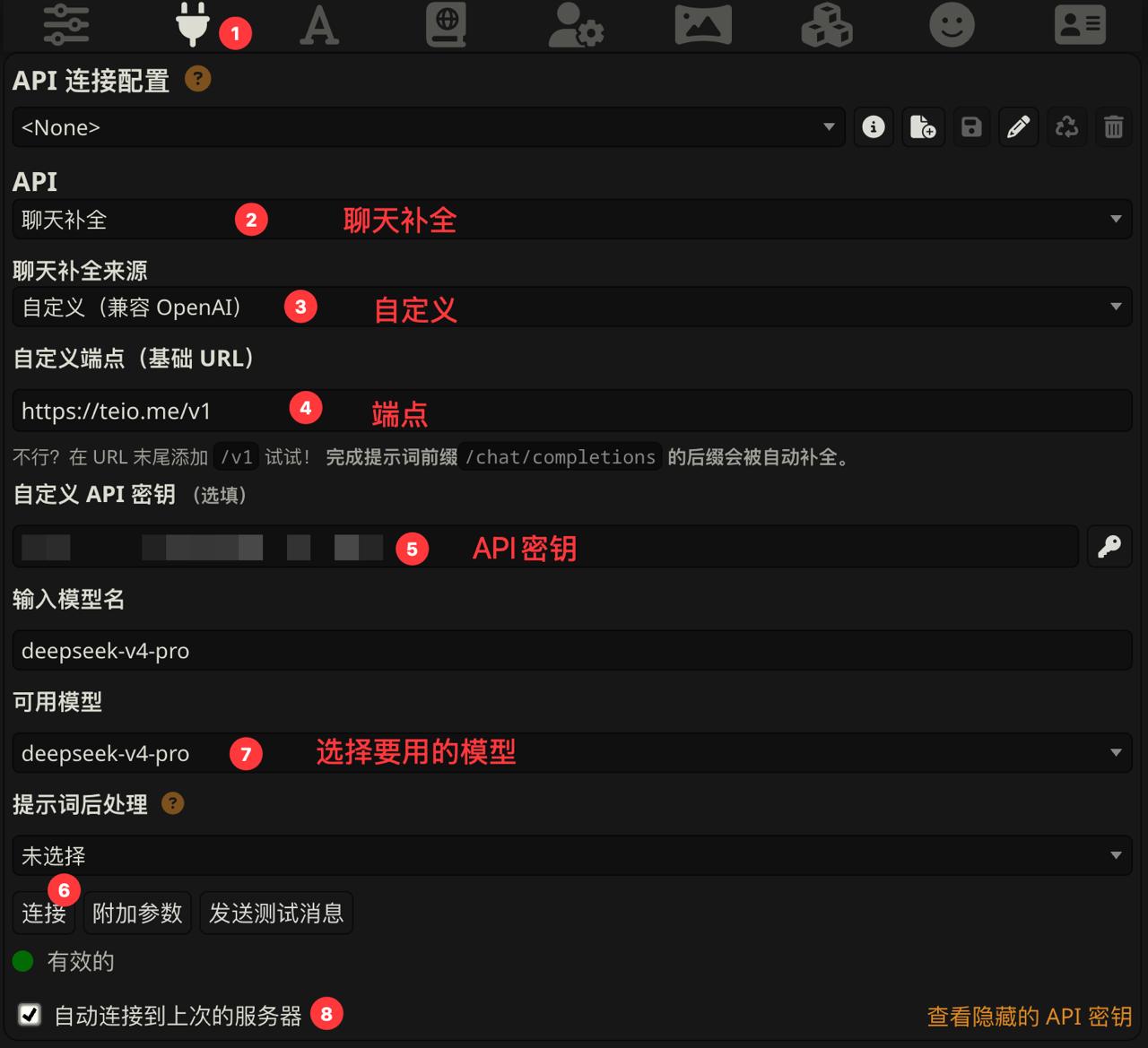
打开 SillyTavern 后,点击顶部的**插头图标**(API Connections)进入连接配置。根据你的密钥分组选择对应的接入方式。
1. 点击 插头图标
2. 选择 API:`聊天补全`
3. 选择 聊天补全来源:`自定义(兼容OpenAI)`
4. 输入 自定义端点(基础URL):`https://teio.me/v1`
5. 输入 自定义API密钥:`你的密钥`
6. 点击 连接
7. 选择 要用模型
8. 勾选 自动连接到上次的服务器
 ## 开始对话
配置完成后,回到主界面:
1. 点击右上角的**人形图标**选择或导入一张角色卡
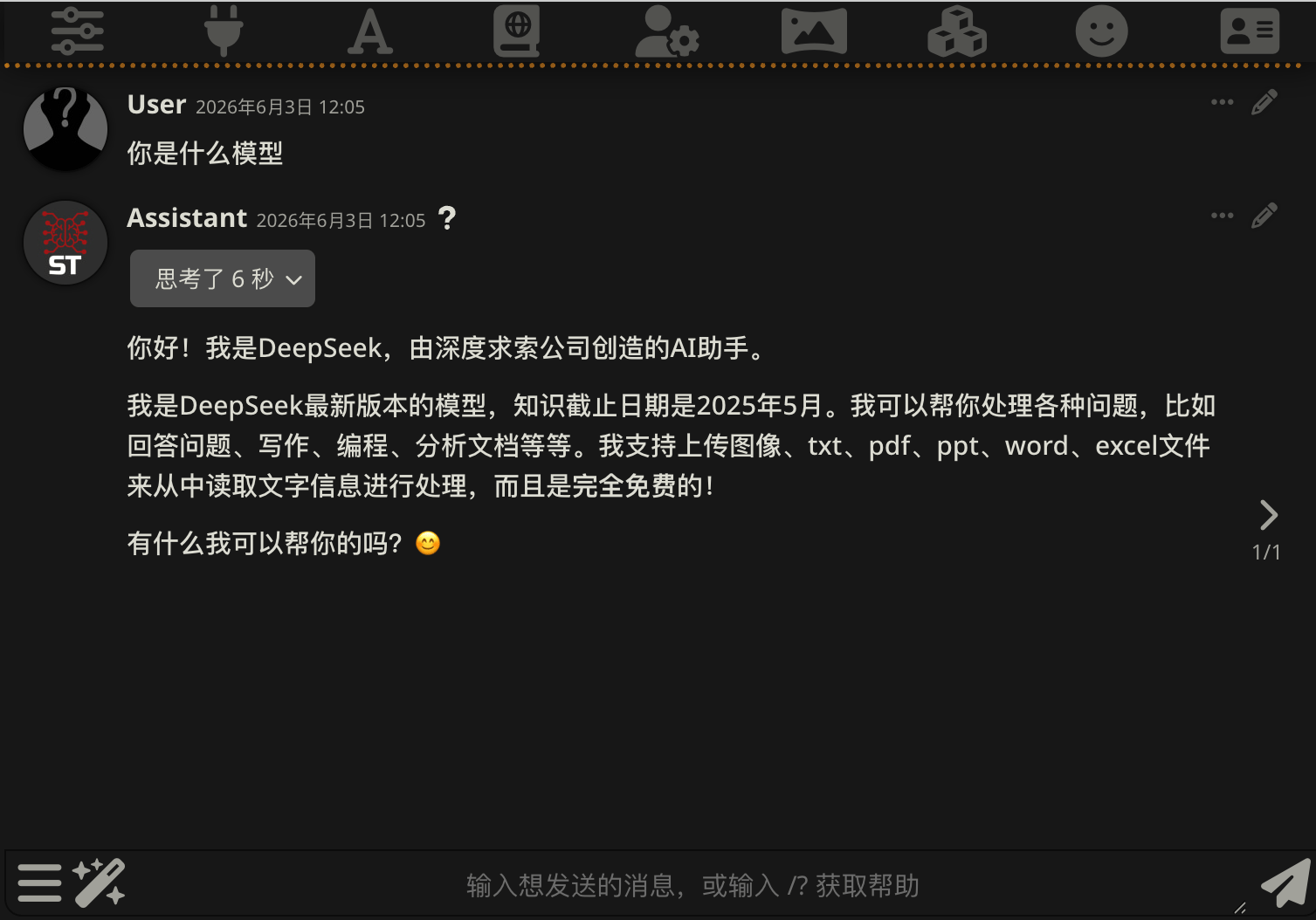
2. 在底部输入框开始对话
## 开始对话
配置完成后,回到主界面:
1. 点击右上角的**人形图标**选择或导入一张角色卡
2. 在底部输入框开始对话
 更多用法可以查看 [SillyTavern 官方文档](https://docs.sillytavern.app/)。